In this article
Updated November 2026
A homeowner with a dead patch of lawn or an overgrown bed doesn’t browse. They search “landscaper near me” and call one of the first few businesses on the map. Google’s Keyword Planner puts that search somewhere between 10,000 and 100,000 times a month in the US, and “landscaping company near me” lands in the same range. If you’re not in those first few results, you’re not in the running.
Nobody can promise you a top spot, and Google says there is no way to request or pay for a better local ranking. What you can do is give Google clear reasons to show your business. Here’s what it looks at and what to do about each part.
What Google looks at
Google says local results are based primarily on relevance, distance and prominence, and explains each on its Business Profile help page.
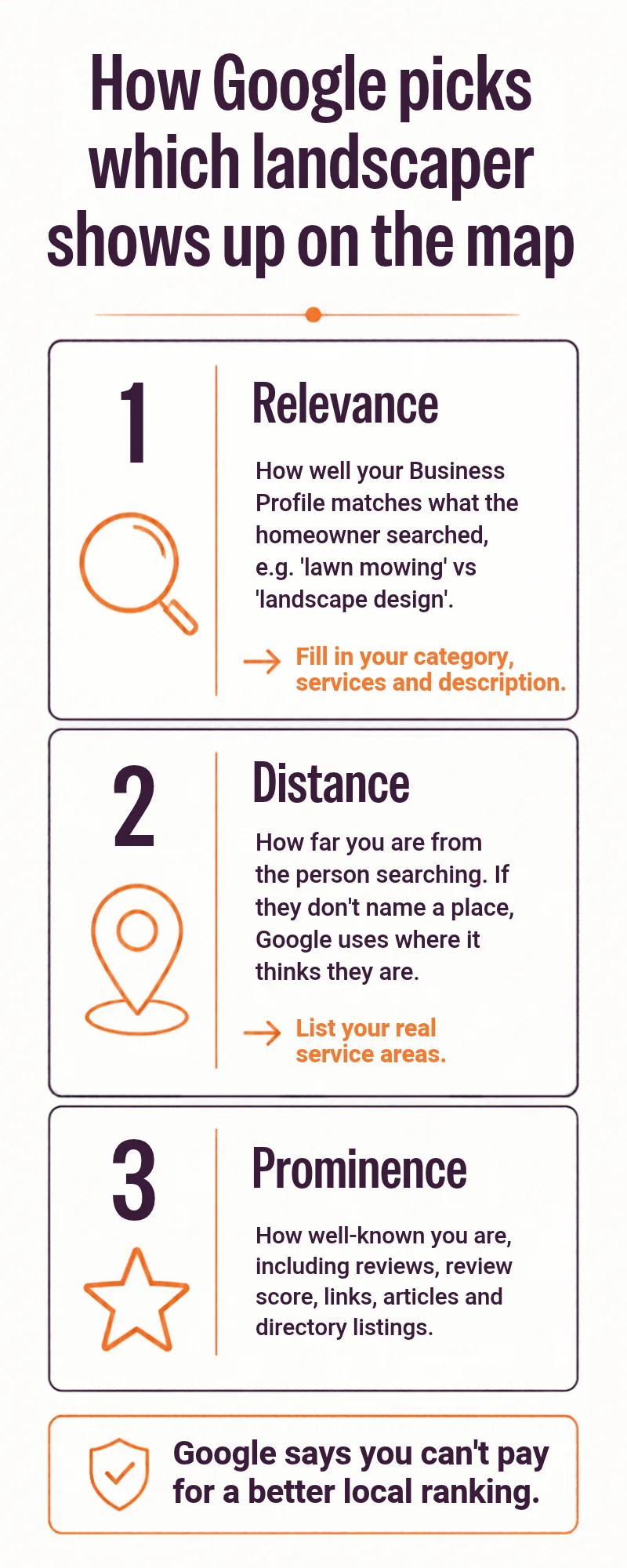
- Relevance is how well your Business Profile matches what someone searched. Google’s advice is to provide complete and detailed business info. For a landscaper, that means the right category, a clear list of services and an accurate description.
- Distance is how far you are from the person searching. If they don’t name a place, Google uses what it knows about their location. You can’t move closer to every customer, so list the towns you actually serve and stop worrying about the rest.
- Prominence is how well known you are. Google says it draws on what it knows about a business from across the web, like links, articles and directories, and that review count and review score factor into local ranking.
That’s the whole system in one line: match the search, be near the customer, and be a business people clearly know and trust.
Set up your profile like a landscaper
Your Google Business Profile is where relevance starts. Work through this list.
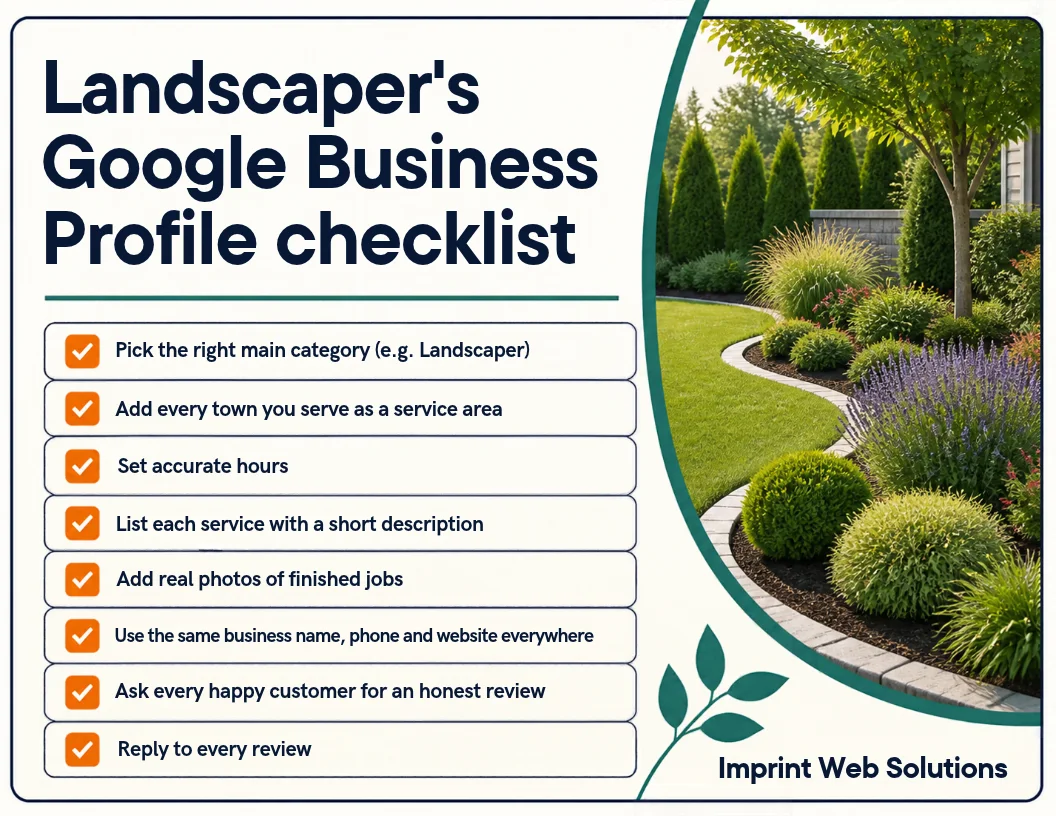
- Pick the right main category. A landscaper, a lawn care service and a landscape designer are different categories. Choose the one that matches most of your work, and add secondary categories for the rest. Check the exact names in the profile editor, since Google changes its list.
- Add every town you serve. If you work from home, you can run as a service-area business and keep your address hidden. Only list areas you really cover.
- Set accurate hours, including any seasonal changes.
- List each service with a short, plain description: lawn mowing, spring and fall cleanups, mulching, planting, hardscape, snow removal if you do it.
- Add real photos of finished jobs. Before and after shots of your own work do more than anything generic.
- Use the same name, phone number and website everywhere. Mismatches across directories make you look less established.
- Ask every happy customer for an honest review.
- Reply to every review, the good ones and the bad ones.
Keep the business name your real name. Adding keywords to it (“Best Lawn Care Rochester”) is against Google’s guidelines and can get a profile suspended.
Reviews do the heavy lifting on prominence
Review count and score are one of the few prominence signals you control directly. The trick is making asking a habit instead of something you remember once a month.
- Ask the day the job is finished, while the yard still looks great.
- Send the customer a direct link so it takes them one tap.
- Never offer a discount or gift for a review, and never ask only your happiest customers to post. Honest reviews are the only kind worth having.
We wrote a full guide on this: How to Get More Google Reviews Without Being Pushy. If you’d rather not do it by hand, automated review requests send the email for you once a job is marked complete.
Your website’s job
Your profile gets you on the map. Your website is what a homeowner checks before they call. Two things matter most:
- One page for each main service. A page for lawn care, another for landscape design and another for cleanups gives Google and your customers something specific to match. BrightLocal’s ranking-factors survey lists a dedicated page for each service among the factors for local organic results.
- A clear service-area section naming the towns you cover, with a call button that’s easy to find on a phone.
Link your website from your profile and make sure the phone number and hours match. If your site is slow, outdated or hard to use on a phone, fixing it is usually the best next step after the profile. Here’s what a professional website for a local business includes.
A 30-minute plan
- Open your Business Profile and check the category, services and service areas against the list above.
- Upload five photos of recent finished jobs.
- Send review requests to your last ten customers.
- Check that your name, phone and website match on your site and your directory listings.
- Put a reminder in your calendar to do steps 2 and 3 every month.
Frequently asked questions
How long does it take to show up on the map? It depends on your area, your competition and how complete your profile is. Nobody can honestly give you a date, so be wary of anyone who does.
Do I need a physical shop to be on Google Maps? No. A service-area business can hide its address and list the towns it serves.
Can I pay to rank higher on the map? No. Google says there’s no way to request or pay for a better local ranking. You can run ads, but those are separate from the map ranking.
Do I still need a website if I have a profile? Yes. Customers click through to check your work and services, and your site is a prominence signal too.
Want a second opinion on your site?
If you’re a landscaper in Rochester, the Finger Lakes or anywhere else, request a free site review and we’ll email you a short list of what’s holding your website back. Or book a free call to talk through your profile and site.